
Changes & diffs
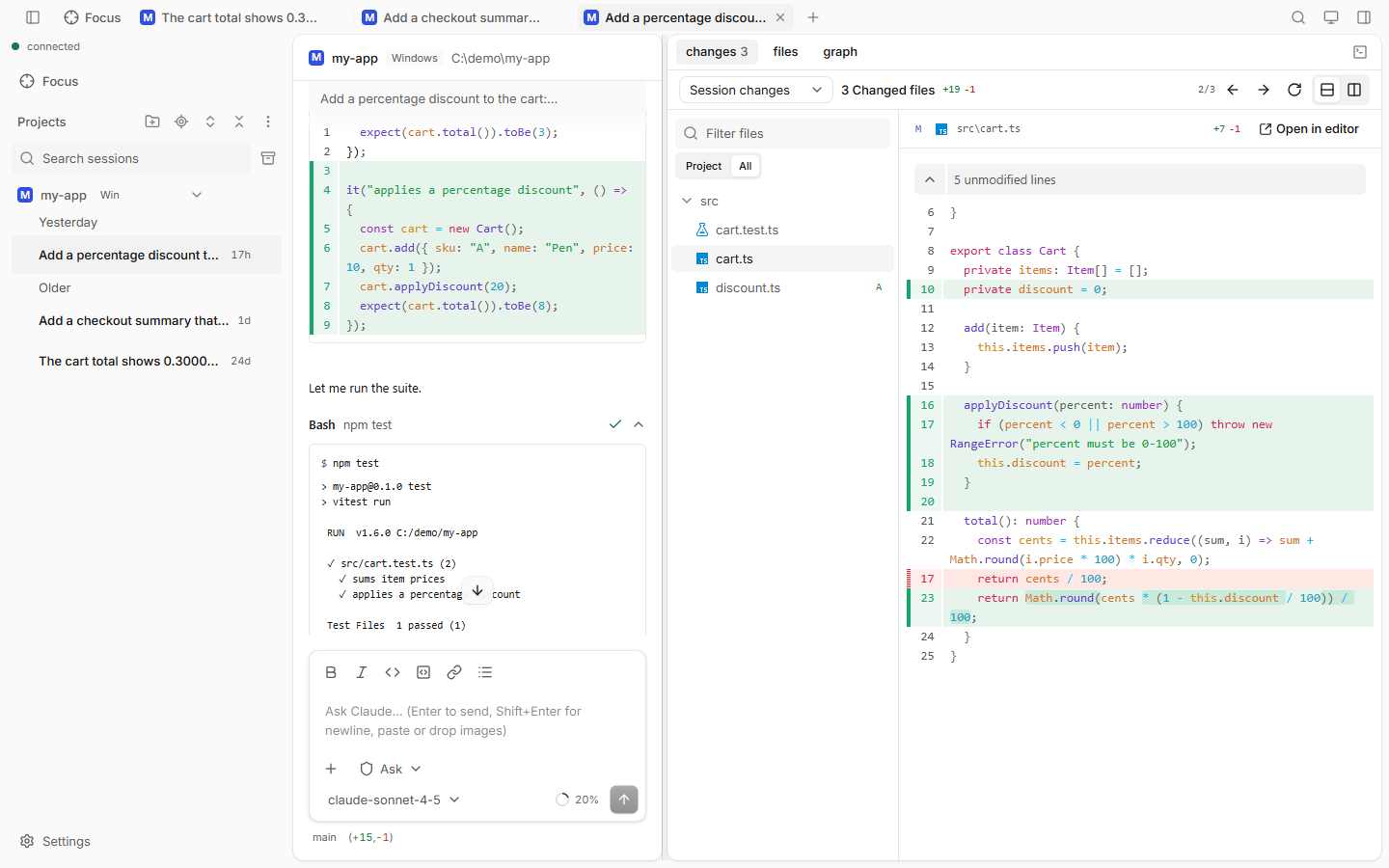
The Changes pane shows what changed, as diffs, file by file.
How to use
Open the side panel and pick changes (or press Ctrl+Shift+G).
Choose a diff mode:
Mode Shows Session changes What Claude changed in this session Uncommitted Your uncommitted git changes Against branch Everything that differs from a branch you pick Click a file in the list, or use ← / → for the previous or next file.
Good to know
- Uncommitted and Against branch need a git repository.
- Files shown: Project / All: only the session's folder, or the whole repository.
- Switch between Split diff and Unified diff. Narrow screens always use unified.
- Filter files narrows the list by name.
- Pick the mode the pane opens in at Settings › Changes.
- The status bar under the prompt box shows the branch and a
+added −removedcount.