
A quick tour
The screen has four parts. Each links to its own page.
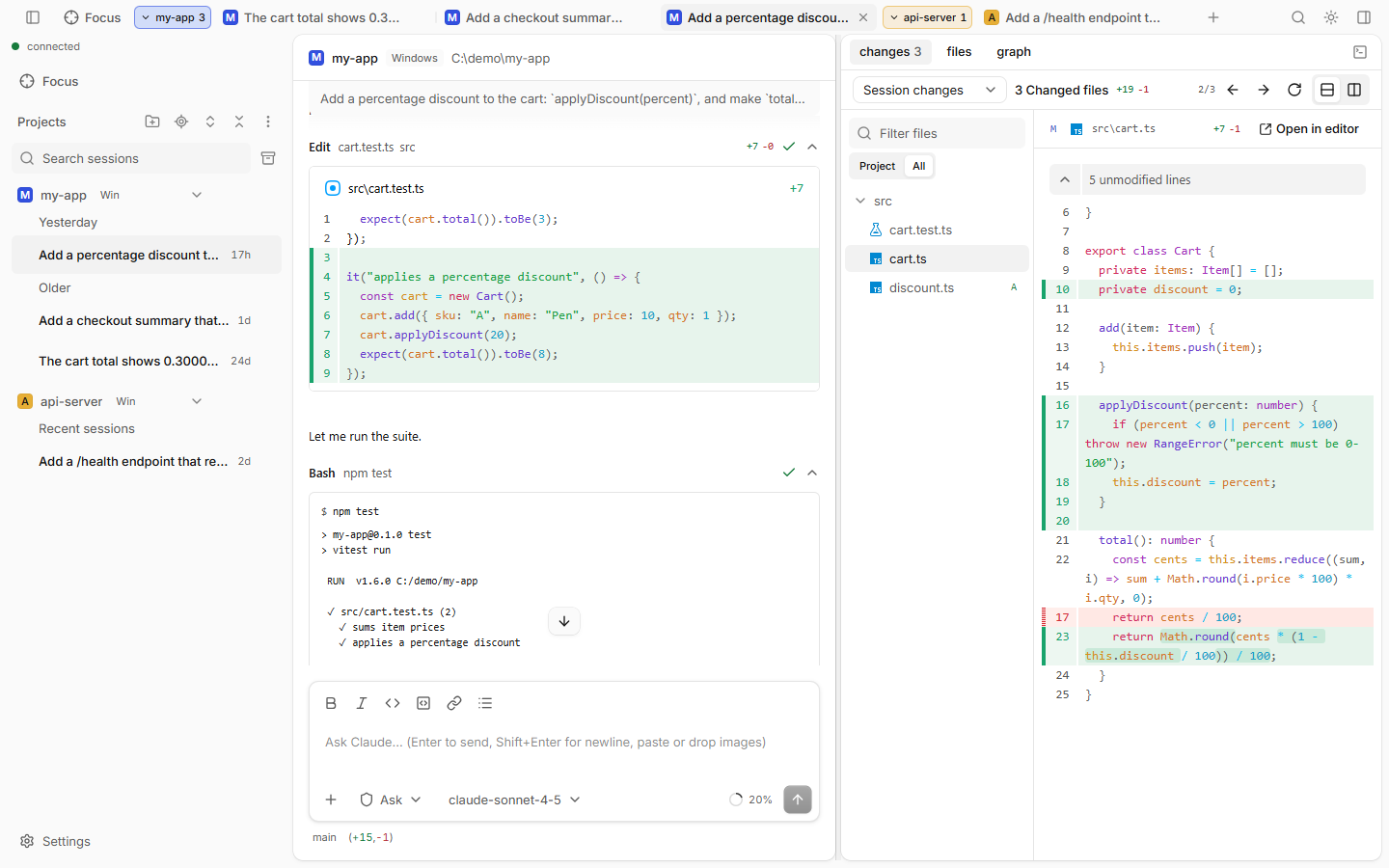
| Part | Where | What it is |
|---|---|---|
| Sidebar | Left | Your projects and their sessions. Search, Focus and Settings live here too. |
| Tab bar | Top | Open sessions as tabs, grouped by project. |
| Session | Middle | The chat with Claude: the timeline and the prompt box at the bottom. |
| Side panel | Right | Files, Changes, Graph and the terminal. |
Words you will see
- Daemon: the small server claude-code-ui runs on your computer. It owns all sessions.
- Project: a folder you opened with Open project.
- Session: one conversation with Claude in one folder.
- Turn: one prompt and everything Claude does for it.
- Tool card: one thing Claude did, like running a command or editing a file.
- Permission request: Claude asks before it runs a tool. See Permissions & modes.
Top-right buttons
| Button | Does |
|---|---|
| Usage ring | Your plan usage. Click for details. See Usage & context. |
| Search | Opens the command palette. |
| Theme | Cycles System → Light → Dark. |
| Panel | Shows or hides the side panel. |
Good to know
- Press Ctrl+/ to see every keyboard shortcut.
- Restart the guided tour any time: Settings › Guide, or "Show guide" in the command palette.
- On a phone the layout changes: the sidebar becomes a drawer and you see one pane at a time.