
Command palette
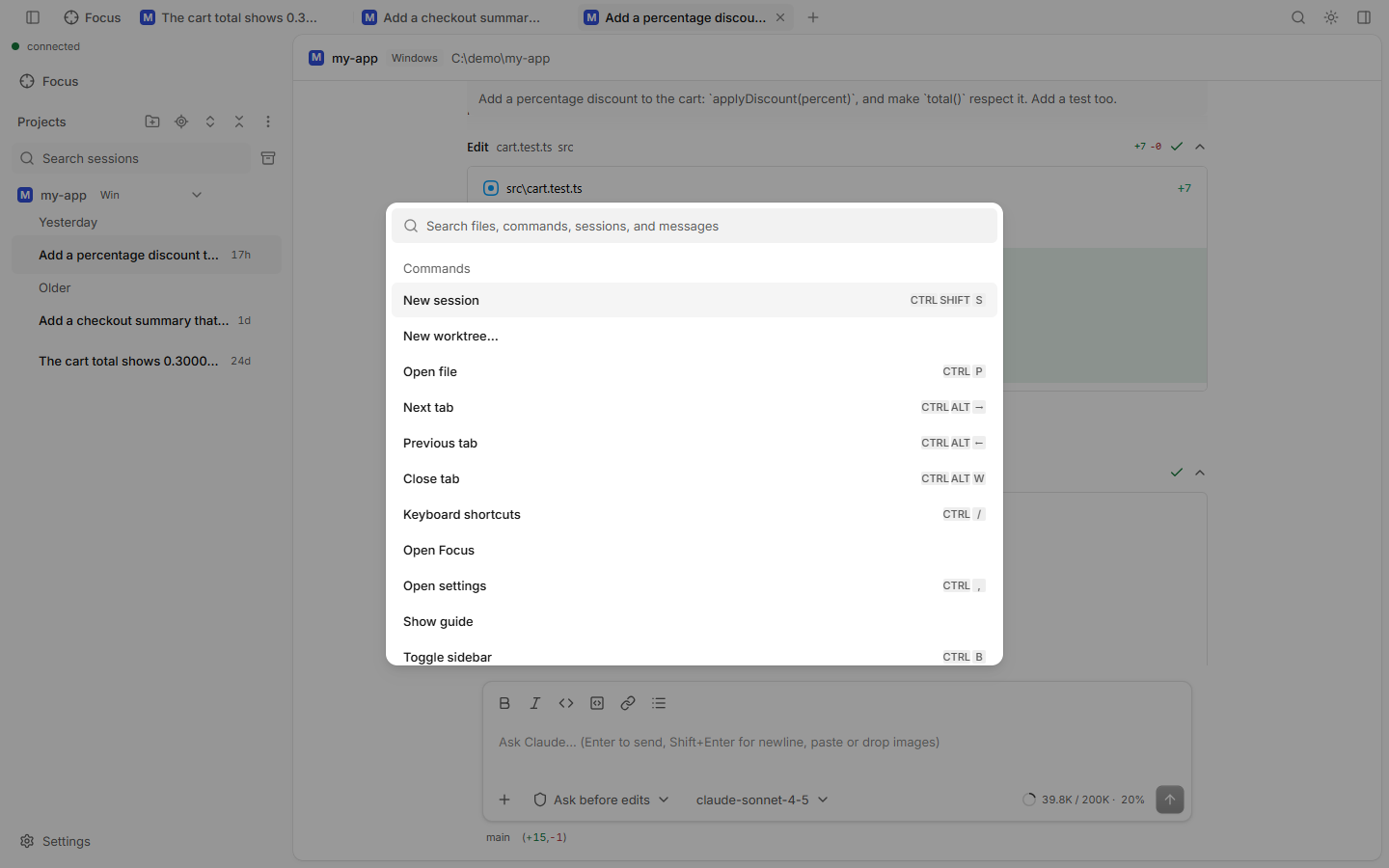
One search box for commands, sessions, files and message text.
How to use
- Press Ctrl+K (⌘ K on Mac), or Ctrl+Shift+P, or click the search icon at the top right.
- Type a few letters.
- Pick a row with the arrows and press Enter.
What it finds
| Group | Examples |
|---|---|
| Commands | New session, New worktree…, Toggle terminal, Show git graph, Toggle signal only, Open settings, Show guide, Open Focus, Stop, Change model, Change thinking effort, Change permission mode, Rewind |
| Customize | MCP servers, Slash commands, Manage plugins |
| Sessions | Your sessions, newest first |
| Files | Files of the current project |
| Messages | Text inside your sessions, newest first |
Good to know
- Only commands that make sense right now are listed. For example, Rewind is hidden while Claude works.
- Each command shows its keyboard shortcut. All of them are on the Keyboard shortcuts page.
- To open a file directly, Ctrl+P (Open file) is faster.