
Reading a session
The middle of the screen is the timeline: your prompts, Claude's answers and everything Claude did, newest at the bottom.
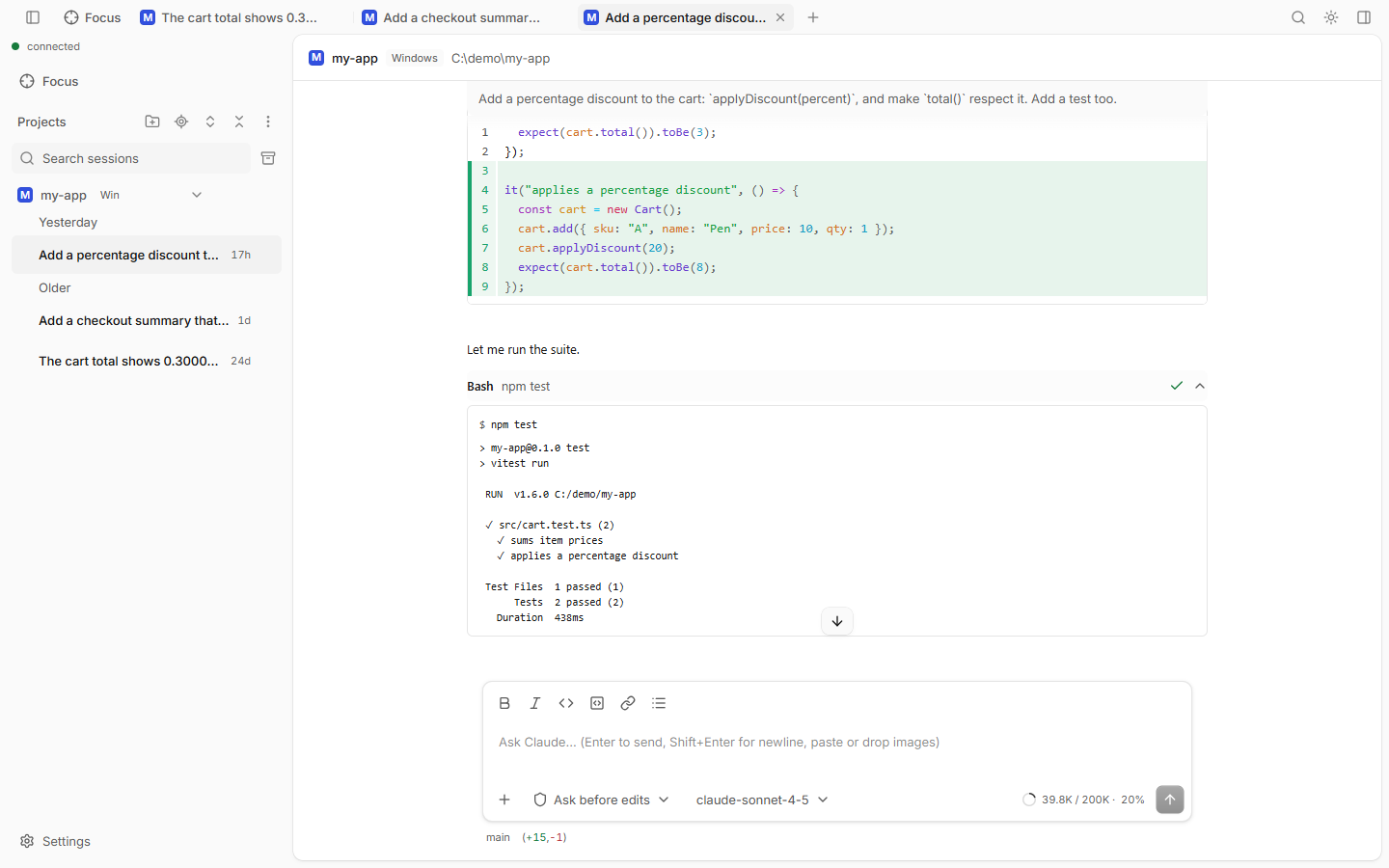
What you see
- Tool cards: one card per thing Claude did. Click a card to open it.
- Bash: the command and its output.
- Edit and Write: a diff of the change.
- Read, Grep, Glob: the file or pattern.
- TodoWrite: Claude's todo list. While Claude works, the list also sits above the prompt box.
- Agent: a subagent run. Open it to see the subagent's own timeline.
- Markdown answers with code highlighting, tables, math and Mermaid diagrams.
- Sticky prompt: when you scroll up, the prompt of the turn you are reading stays at the top. Click it to jump there.
How to use
| To | Do |
|---|---|
| Fold all tool calls into one line | Turn on Signal only (Ctrl+Alt+S) |
| Copy Claude's answer | Copy response under a finished turn |
| Quote part of an answer | Select the text, click Quote in prompt |
| Open an image big | Click it |
| Go back in time | Hover your prompt, click Rewind to before this message |
Rewind
Rewind returns the session to before one of your prompts. Pick what to restore:
- Restore code and conversation
- Restore conversation (files stay as they are)
- Restore code (the chat stays)
You can also run "Rewind" from the command palette. Rewind is not available while Claude is working.
Good to know
- Signal only applies to every session in this browser. Your prompts, Claude's text, errors and requests waiting for you always stay visible.
- Code rewind covers changes made by Claude's Edit and Write tools. It does not undo shell commands.
- Long sessions load the newest turns first. Scroll up for older ones.
- Copy buttons need HTTPS or
localhost.