
Git graph
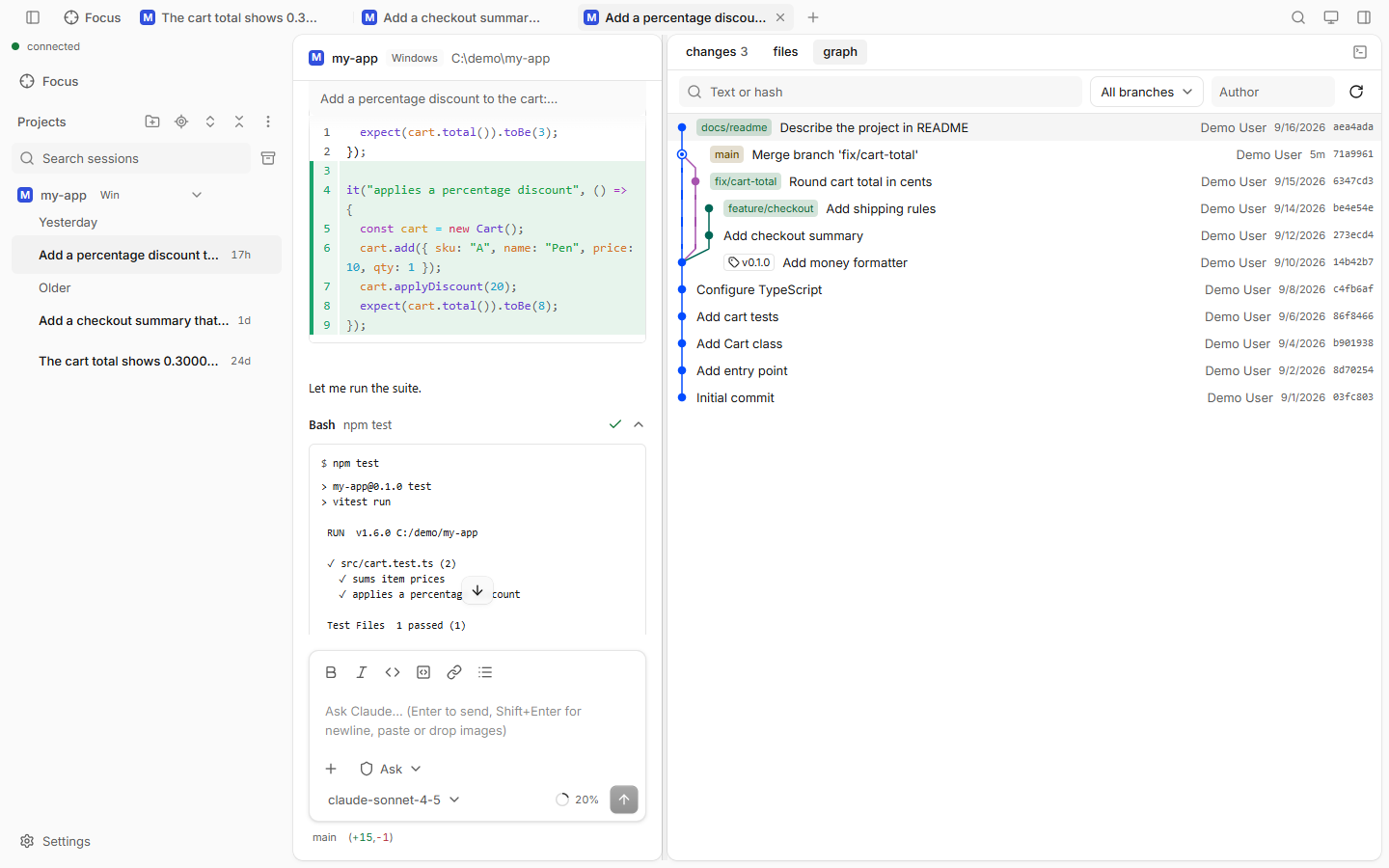
The Graph pane shows the project's commit history as a graph, like git log --graph. It is read-only.
How to use
- Open the side panel and pick graph (or press Ctrl+Shift+H).
- Pick which branch to show: HEAD (the default) or All branches, or one branch.
- Search with Text or hash, or filter by Author.
- Click a commit to see its details and the diff of each file.
Good to know
- Labels are colored by kind: HEAD, local branches, remote branches and tags.
- It loads 200 commits at a time. Older ones load as you scroll down.
- Refresh reloads the graph.
- It never changes your repository: no checkout, no commit, no push.